 ITBLogs.Info
Sense UI Email Client - Conversations
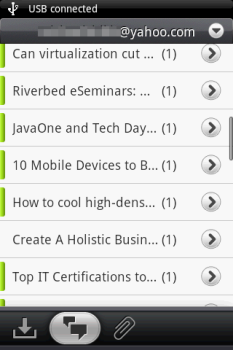
I found a lot of improvements in Sense UI. The first things I found, the email client got a new interface. You can choose to view the email grouped by conversations, rather than the traditional inbox. That makes more "Sense"! Because in the most of cases, I was dealing with a few issues at the same time. So, a lot of replies back and forward. Without the "Conversations" mode, I will lose the track of discussions! Yes, that is the reason I love Gmail a lot. Now I can use it in my Android Phone Email client too!
HTC Magic Sense UI ROM Update
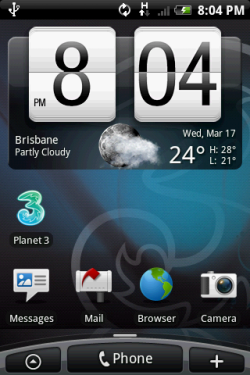
I have been waiting for HTC Magic Sense UI ROM Update very long. Today, I go to HTC website. I found they have released the ROM Update in Australia last week. I downloaded and installed it tonight.
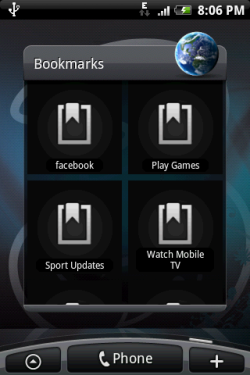
The sense UI is much nicer and the on-screen keyboard got better touch experince too. Moreover, I love the digital clock. That is more stylish! Another great feature of Sense UI is those HTC Widget, such Bookmark. They are very nice.
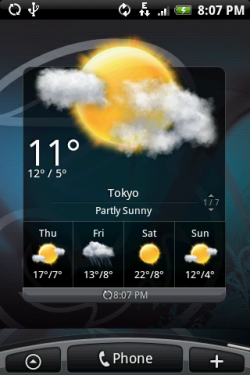
The one I love most is the weather widget, becuase I like to go out for bush walking. I wish to know the latest weather forcast for planning my trip!
HTC Magic Sense UI ROM Update
I have been waiting for HTC Magic Sense UI ROM Update very long. Today, I go to HTC website. I found they have released the ROM Update in Australia last week. I downloaded and installed it tonight.
The sense UI is much nicer and the on-screen keyboard got better touch experince too. Moreover, I love the digital clock. That is more stylish! Another great feature of Sense UI is those HTC Widget, such Bookmark. They are very nice.
The one I love most is the weather widget, becuase I like to go out for bush walking. I wish to know the latest weather forcast for planning my trip!
Twitter mouseover preview
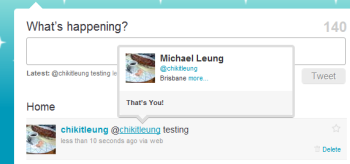
I found a "new" feature. I put my mouse cursor on a name, and it will popup a preview of that person's twitter. I guess that may a feature in there for long time, but I realized the existence of this feature this morning.
Google Street View is available in Hong Kong
I am living in Australia but I came from Hong Kong and I have not backed to there for around two years. I don't know what does my home in Hong Kong look like now. Then I heard about Google Street View is avaliable in Hong Kong. I did a search for my home address. I found it. Moreover, the photo in Street View seems to be very recent. In the photo, I can see there are some constructions on the external wall of the buildings which I lived in Hong Kong. I remember my family told those constructions near the end of last year. So, the photo should be taken not long ago.
Related website:
Google Street View Hong Kong