 ITBLogs.Info
Exploring Ralph Driven Development
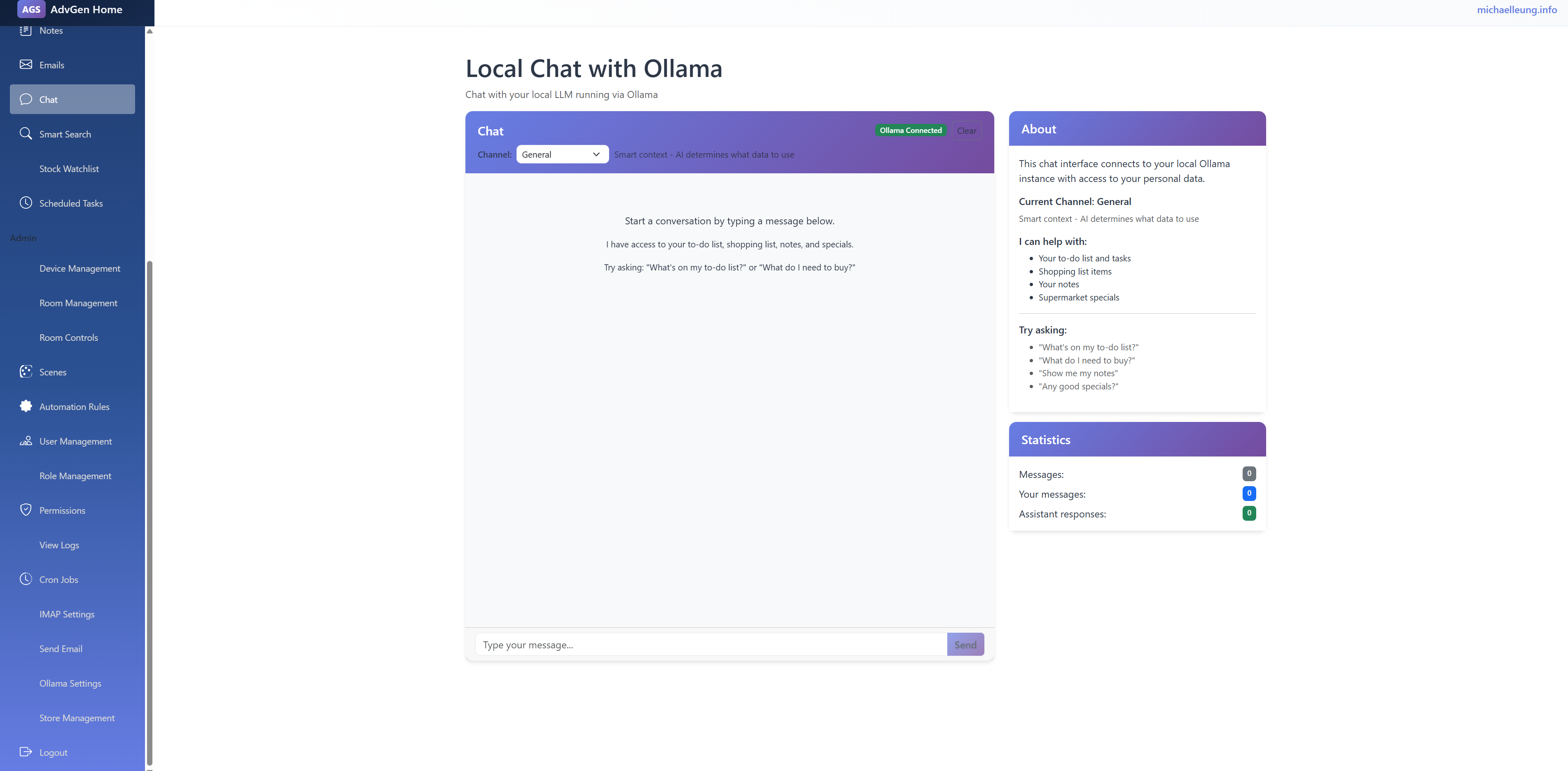
After I read the article from Stop Chatting with AI. Start Loops (Ralph Driven Development) from Luke Parker. I have tried the Ralph Driven Development. That is mind-changing. In the past, I have used AI coding before, which is more like programming by chatting. But Ralph Driven Development is to loop the specification, executing the plan item by item. Then the AI agent will build the application without any human interaction. What I need to do is write the plan in very detailed steps, like “Creating User Management Page with CRUD functions, the edit window needs to be a modal window”. I need to write in very detail, like to teach 3 years old child. At the end, I built my home intranet. It has a to-do list and shopping list management. Moreover, I have hooked up with ollama. I can use the chat to access my to-do and shopping items. Of course, it has a full of bugs. I still need to test and debug (although in the plan, I told it to test it).
Luke used OpenCode. For myself, I used kimi, that is relatively lower cost than Claude Code.
My command is
while ($true) { kimi -p "READ all of plan.md Pick ONE task per timesso Verify via web/code search. Complete task, verify via CLI/Test output. Commit change. ONLY do one task. Update plan.md. If you learn a critical operational detail (e.g. how to build), update AGENTS.md. If all tasks done, sleep 5s and exit. NEVER GIT PUSH. ONLY COMMIT." --yes }
That is working well, but it burned the quote very quick
ML.Net is downgraded
During the past two years, artificial intelligence has been a hot topic. A lot of people are talking about openAI and MidJourney. That kind of generative AI. That sounds like something I forgot. It is still very useful for developers. It won’t generate codes like ClaudeCode. It can do the model prediction. (like price prediction or image classification),Unlike "Pre-built AI" (like some Azure Cognitive Services), you own the model and the data pipeline. You can see exactly how data is being transformed. You have local AI. For myself, I used to categorize my expenses.
Common Use Cases for Developers
- Sentiment Analysis: Automatically tagging customer support tickets as "Frustrated" or "Happy."
- *Price Prediction: Estimating the value of a product or real estate based on historical features.
- Anomaly Detection: Real-time flagging of fraudulent credit card transactions.
- Product Recommendations: "Users who bought this also liked..." features for e-commerce.
WinUI still needs the WinForm component
I am working on the Windows Desktop Application. Of Course, Now is 2025. I am building a new Windows application, and I think that WinUI is one of the best options I can think of.
However, WinUI is a kind of platform-independent, if you still need to access the local function such as the File Dialog, You still use to have Interpo.
var picker = new FileOpenPicker();
picker.FileTypeFilter.Add(".json");
picker.SuggestedStartLocation = PickerLocationId.DocumentsLibrary;
var hwnd = WinRT.Interop.WindowNative.GetWindowHandle(this);
WinRT.Interop.InitializeWithWindow.Initialize(picker, hwnd);
Here is the example
PostgreSQL in Azure
Last Month, I went to the Brisbane.net user group. The topic is PostgreSQL.PostgreSQL? How can it be related to .Net? You may think that that is more related to Linux. That is not. Azure got Postsqesql implementation, which is customized for Azure. Thus, that is performance quite good.
Moreover, that is more than half the price of the MS SQL server option. Lastly, EF core is fully supported by Postgresql. They are very suitable for a small-scale project. I will explore it for my membership management system.
Best way to download in MAUI
Due to the discontinuation of Google Podcasts, I am writing my own Podcast App for Android. I chose C# MAUI because I am a C# Developer, and I have used Xamarin (become a part of MAUI now) for years.
My first problem is the Podcast App; I need to load the RSS (XML) via HTTP. That is so easy. Same as other C# programs. Also, you can use to load any JSON information in different use case
Code
var client = new HttpClient(); | |
var string1 = client.GetStringAsync("https://podcast.rthk.hk/podcast/novamanage.xml").Result; | |
// deserailize |